
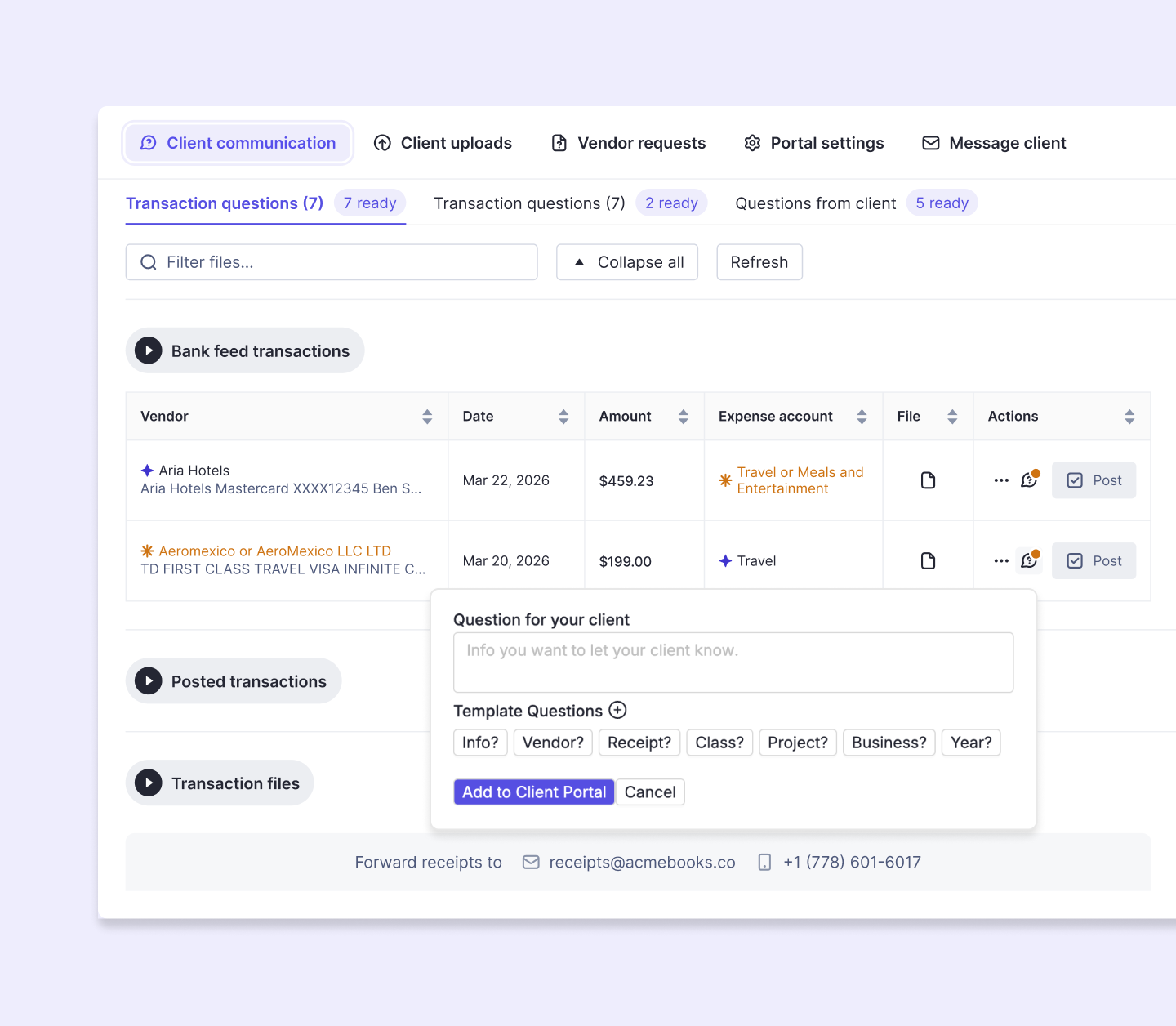
Post directly to the portal
Questions batch into the portal as you work, so clients get one notification, not ten. When they respond, you can edit the transaction right in Double, with every change syncing back to the ledger.
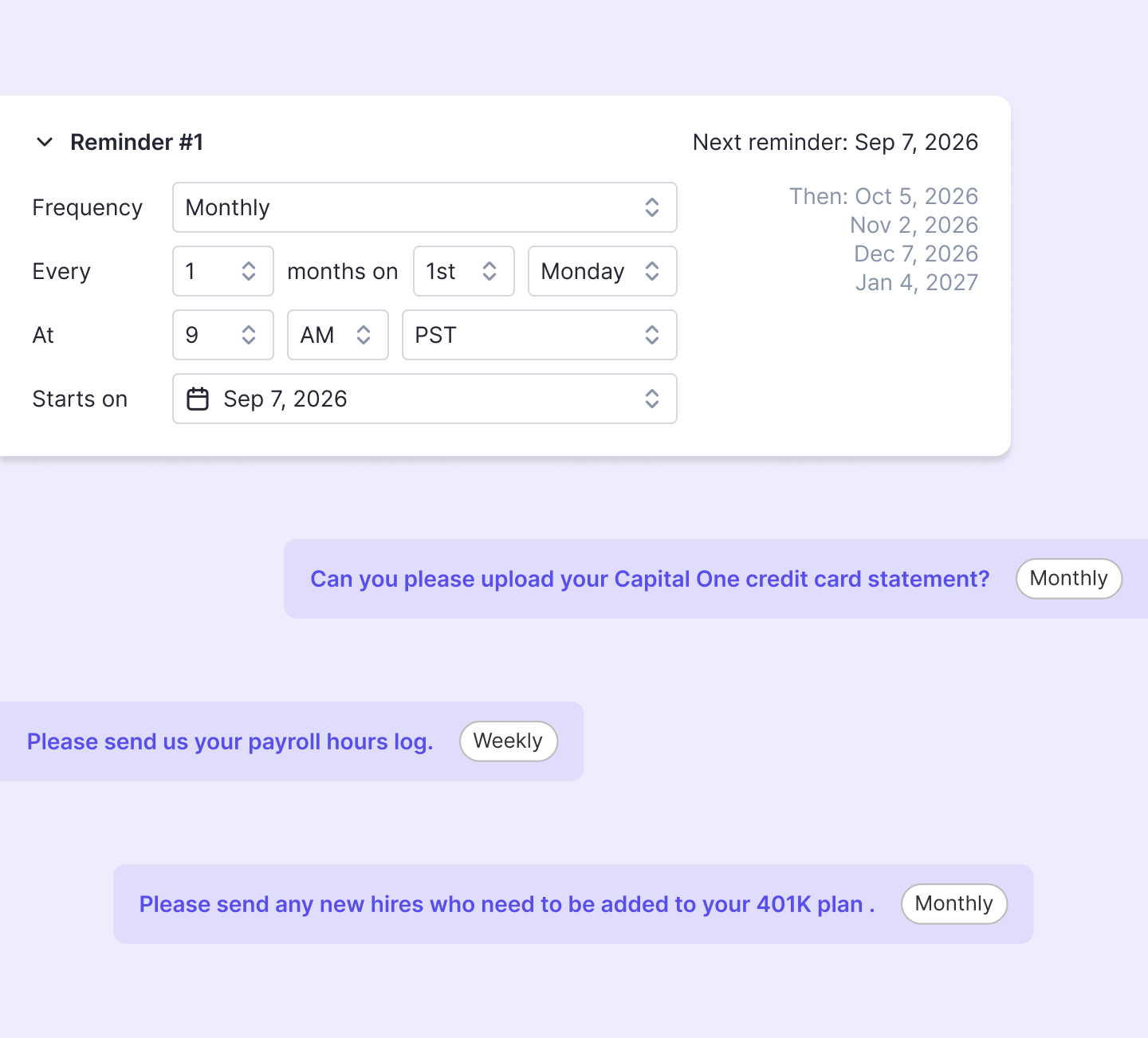
Automate your follow-ups
Set the reminder cadence once and Double nudges clients by email or text until questions are answered. Reminders stop automatically the moment they respond.
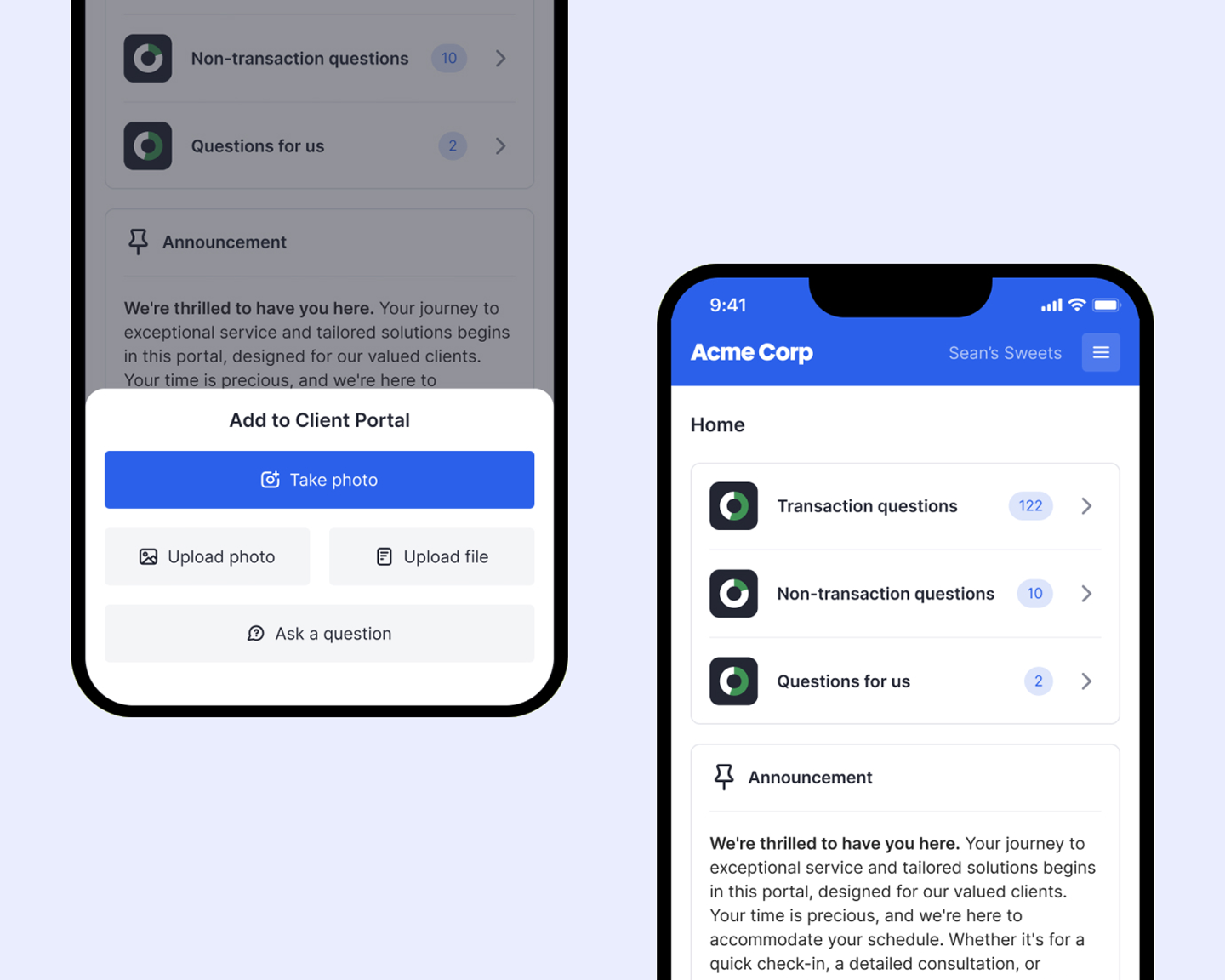
Client Portal Mobile App
Double’s Client Portal mobile app lets clients answer questions, snap and upload receipts, track tax return status, and review financials on the go.
About the course
Double's client portal eliminates unnecessary chaos, lost documents, and constant follow-ups that drain your productivity. In this course, you'll master asking questions, automating reminders, using tax workflows, and more. Learn how centralizing your client's experience reduces response times while requiring less effort from your team. Stop managing scattered communications across platforms and start leading with confidence. Discover how to utilize the Client Portal and transform your practice today!
Curriculum
-
-
(Included in full purchase)
Intro
-
(Included in full purchase)
Terminology: Client vs Contact
-
(Included in full purchase)
Portal Settings
-
(Included in full purchase)
Contact Permissions
-
(Included in full purchase)
Automated Reminders
-
(Included in full purchase)
-
-
(Included in full purchase)
Client Questions
-
(Included in full purchase)
Assignable Questions
-
(Included in full purchase)
Demo: Ask a Transaction Question
-
(Included in full purchase)
Demo: Ask a Non-Transaction Question
-
(Included in full purchase)
Recurring Questions
-
(Included in full purchase)
Question Status
-
(Included in full purchase)
Demo: Send an Email
-
(Included in full purchase)
Bookkeeper Notifications
-
(Included in full purchase)
-
-
(Included in full purchase)
Submitting Receipts
-
(Included in full purchase)
Receipt Routing
-
(Included in full purchase)
My Receipts
-
(Included in full purchase)
-
-
(Included in full purchase)
Logging in
-
(Included in full purchase)
Demo: Sign in with Magic Link
-
(Included in full purchase)
Dashboard
-
(Included in full purchase)
Financials (with Access)
-
(Included in full purchase)
Files (with Access)
-
(Included in full purchase)
Resources (Optional)
-
(Included in full purchase)
Merged Portals
-
(Included in full purchase)
-
-
(Included in full purchase)
App Store
-
(Included in full purchase)
Logging in
-
(Included in full purchase)
Push Notifications
-
(Included in full purchase)
Uploading Receipts
-
(Included in full purchase)
-
-
(Included in full purchase)
Vendor Requests
-
(Included in full purchase)
Demo: Send a W9 Request
-
(Included in full purchase)
Tax Returns (with Access)
-
(Included in full purchase)
-
-
(Included in full purchase)
Resources
-
(Included in full purchase)
How did we do?
-
(Included in full purchase)
Create a portal that your clients look forward to using...
Learn how to build an efficient client communication system within the client portal.