
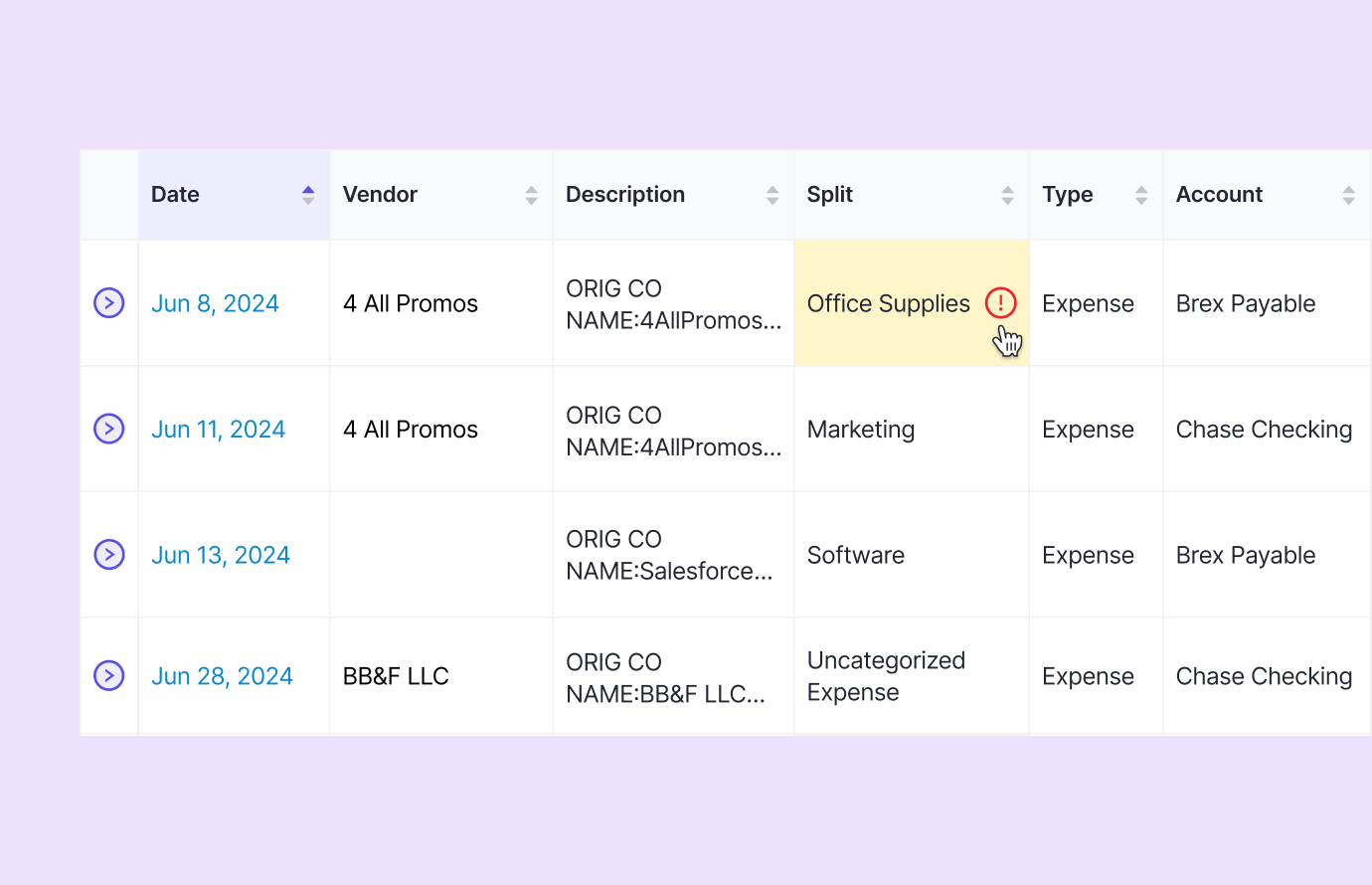
Catch & correct errors seamlessly
Stop the manual hunt for coding errors. Double identifies transactions that need attention to avoid unexpected issues during the month-end close.
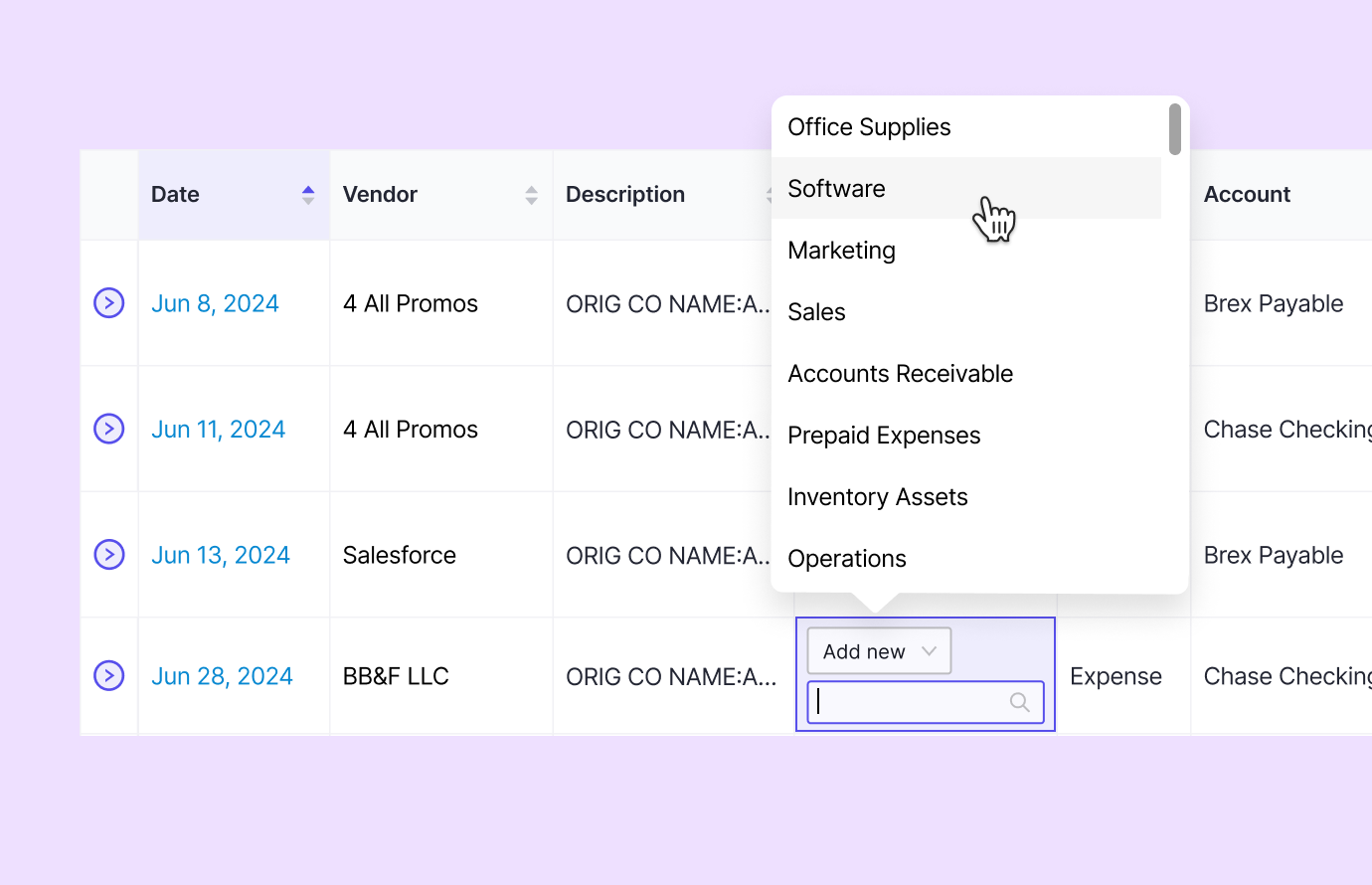
Scale the file review process
Minimize extra clicks and multiple tabs so you can complete your month-end close process up to 3x faster. All changes in Double sync back to QuickBooks/Xero.
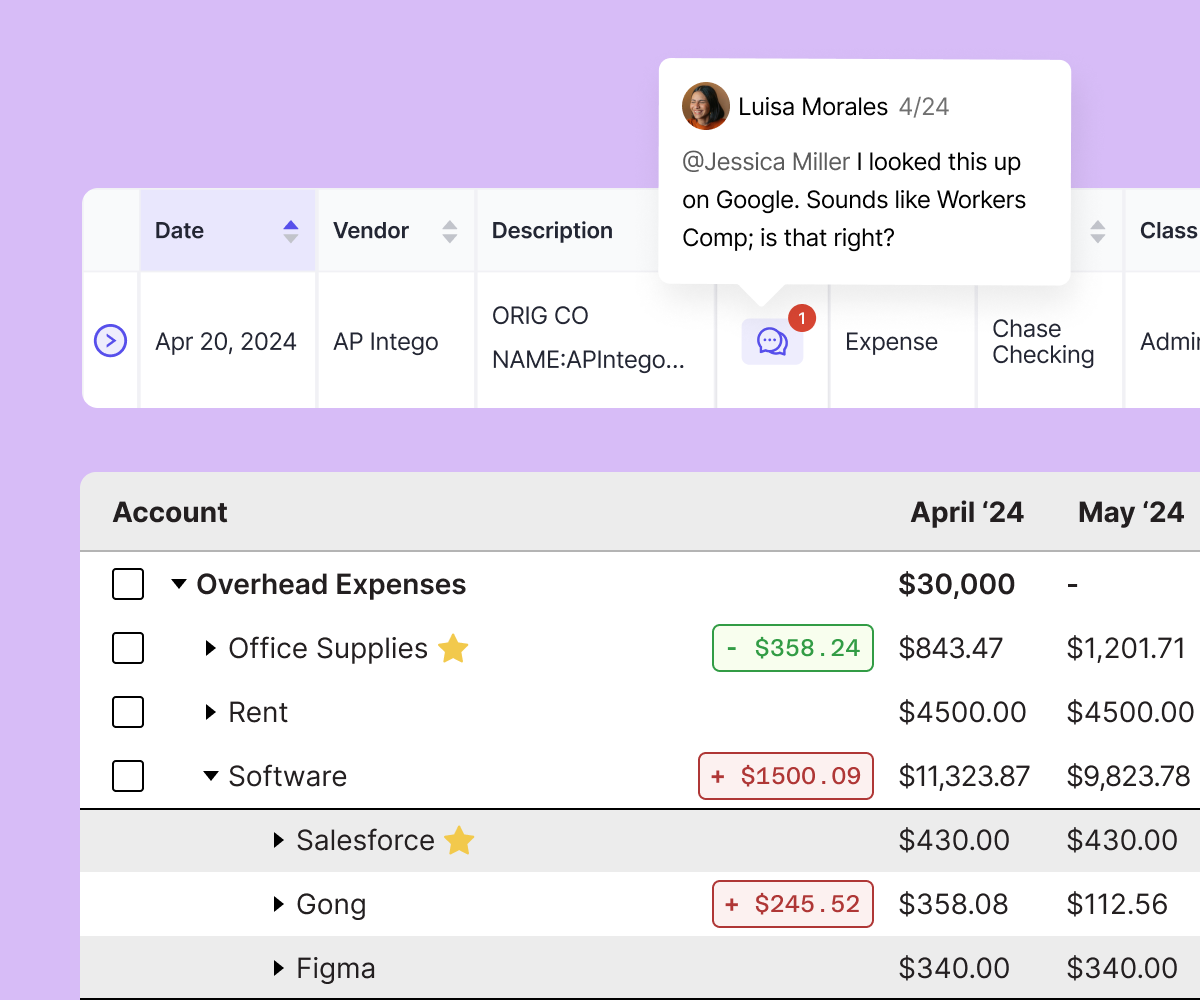
Empower your team & save time
Have confidence that work is being done correctly and free up time for your team’s reviewers each month.
About the Course
In this course, you will learn the essential skills needed to conduct thorough file reviews in Double. We understand the challenges you face when managing files, and our course provides practical solutions to streamline your workflow. By mastering file reviews, you can confidently tackle inconsistencies and ensure a seamless end of month close process. Enroll now and take control of your file management tasks!
Course Curriculum
-
-
(Included in full purchase)
Video: Welcome to the close page!
-
(Included in full purchase)
Close Page Tour
-
(Included in full purchase)
Client Settings
-
(Included in full purchase)
Quick-Add Menu
-
(Included in full purchase)
Closing Tasks
-
(Included in full purchase)
Closing Tasks: Assigning tasks & due dates
-
(Included in full purchase)
Adding and removing reports
-
(Included in full purchase)
-
-
(Included in full purchase)
Video: Reviewing transactions
-
(Included in full purchase)
Fix it, accept it, or exclude it
-
(Included in full purchase)
Date ranges: File review reports
-
(Included in full purchase)
Transaction status: Reviewed
-
(Included in full purchase)
Transaction status vs. Question status
-
(Included in full purchase)
"More Information" arrow
-
(Included in full purchase)
Exclusion lists in file reviews
-
(Included in full purchase)
Quiz
-
(Included in full purchase)
-
-
(Included in full purchase)
Account reconciliation tasks
-
(Included in full purchase)
Reconciling with the Chrome Extension
-
(Included in full purchase)
Reconciling & Double's Chrome extension
-
(Included in full purchase)
Adding an account
-
(Included in full purchase)
Reconciled, cleared, uncleared transactions
-
(Included in full purchase)
Timestamped account balances
-
(Included in full purchase)
Setting up intercompany transfers between files
-
(Included in full purchase)
-
-
(Included in full purchase)
Uncategorized Transactions
-
(Included in full purchase)
Expense Inconsistency
-
(Included in full purchase)
Video: Expense Inconsistency
-
(Included in full purchase)
Transactions without Payees
-
(Included in full purchase)
Class Inconsistency
-
(Included in full purchase)
Demo: Ask a Transaction Question
-
(Included in full purchase)
Transactions Coded to Parent Accounts
-
(Included in full purchase)
Transactions > $X
-
(Included in full purchase)
Transactions without Class/Location
-
(Included in full purchase)
Transactions Auto-Added by Bank Rule
-
(Included in full purchase)
-
-
(Included in full purchase)
Payee / Entity Review
-
(Included in full purchase)
Newly Added Vendors / Customers
-
(Included in full purchase)
Newly Added Accounts
-
(Included in full purchase)
Duplicate Vendors / Customers
-
(Included in full purchase)
Prepare 1099s
-
(Included in full purchase)
Prepare 1099s
-
(Included in full purchase)
Demo: Send a W9 Request
-
(Included in full purchase)
W9 Requests
-
(Included in full purchase)
Exporting the Prepare 1099s report
-
(Included in full purchase)
Custom 1099s
-
(Included in full purchase)
-
-
(Included in full purchase)
Video: Final Review Overview
-
(Included in full purchase)
Final Review
-
(Included in full purchase)
Starred accounts
-
(Included in full purchase)
Variance & flux analysis
-
(Included in full purchase)
Demo: Run AI Flux Analysis
-
(Included in full purchase)
Vendor drill-down
-
(Included in full purchase)
Footnotes
-
(Included in full purchase)
File Attachments
-
(Included in full purchase)
Quiz
-
(Included in full purchase)
-
-
(Included in full purchase)
Search all transactions
-
(Included in full purchase)
Bulk editing
-
(Included in full purchase)
Marking expenses as billable
-
(Included in full purchase)
Non-Calendar fiscal years
-
(Included in full purchase)
-
-
(Included in full purchase)
Resources
-
(Included in full purchase)
How did we do?
-
(Included in full purchase)
Ready to master the month-end close?
Enroll today and gain the skills to efficiently review and manage your client's books with confidence!